Traffic Nomads Full Integration
The full Voluum and Traffic Nomads integration connects the two platforms in the maximum possible scope. It gives you the option to have full control over your Traffic Nomads campaign in Voluum and make use of Voluum's vast reporting and optimization options at the same time. The following article describes the scope of the integration, the setup, and how to work with integrated campaigns.
HOW CAN YOU BENEFIT FROM THE FULL INTEGRATION WITH Traffic Nomads?
The full API integration gives you the following benefits:
Synchronize costs for: campaign
Check the status of your campaigns
Bid on: campaign
Pause or restore: campaign
Create rules.
BEFORE YOU START
Before you perform an integration, make sure that you have the following:
An active Voluum account
An active Traffic Nomads account
An Traffic Nomads API key to authenticate Voluum's request in your traffic source's account. To get the key, contact Traffic Nomads support.
Now you need at least one campaign running and tracked by Voluum. Once you have everything ready, read the further part of this guide.
I. Setting Up Integration
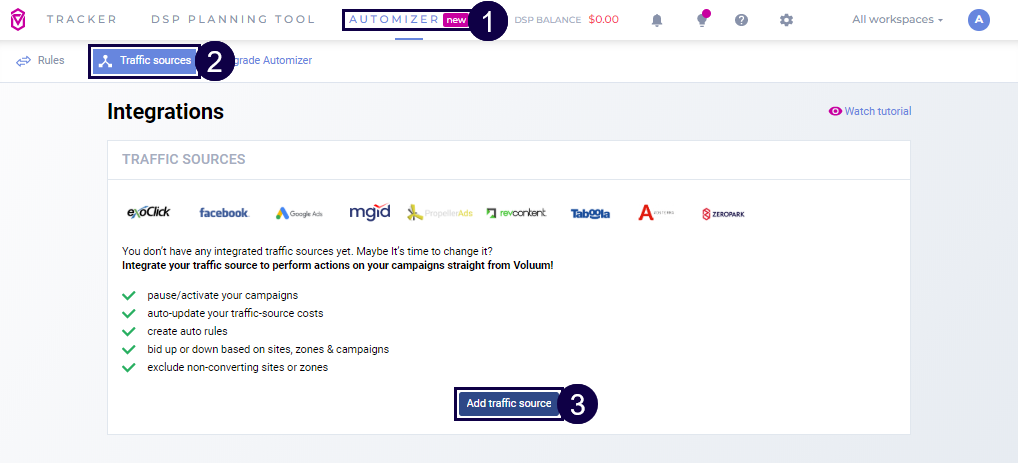
In Voluum, go to the AUTOMIZER module.
Go to the Traffic sources tab.
Click the Add traffic source button.
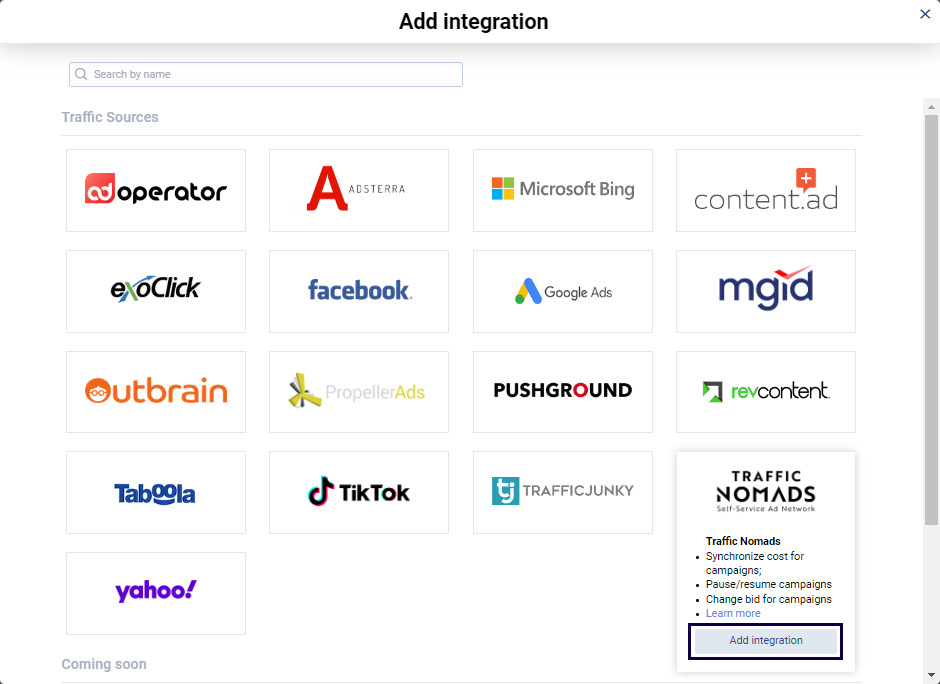
Click the Add integration link under the Traffic Nomads traffic source.
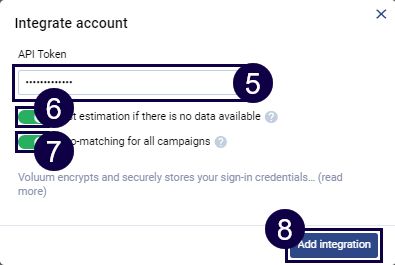
Provide the API key in the API token text field.
(Optional) Decide if you want to see cost estimations for periods between data synchronization. The estimations are based on the last 24 hours data set. When cost is synchronized, estimated costs will be replaced with actual ones.
(Optional) Decide if you want to have your campaigns automatically matched. If you turn this off, you will have to use Integration Manager to manually match campaigns.
Click the Add integration button.
II. Working With Integrated Campaigns
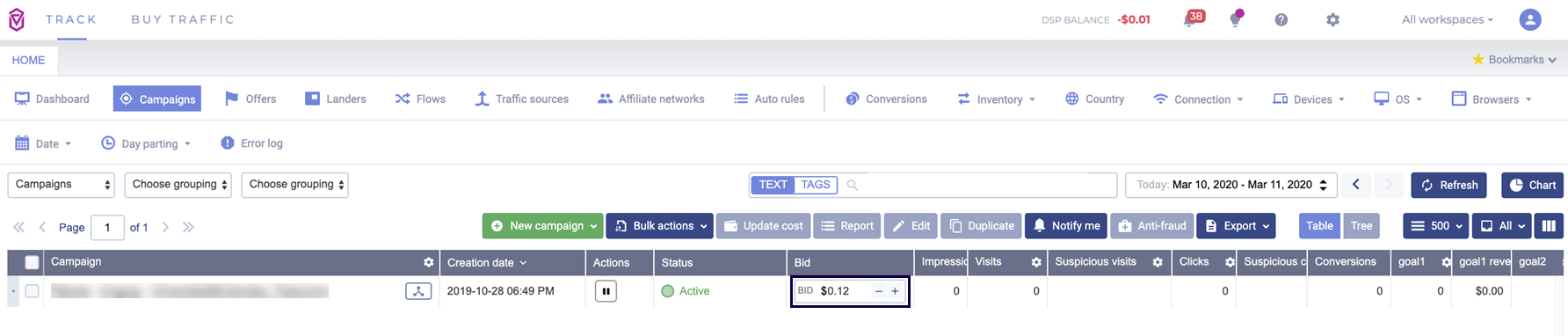
The integrated campaigns are marked with the  icon. To make use of the integration, make sure that you have the following columns visible by clicking the
  button and ticking the appropriate boxes:
Actions
Status
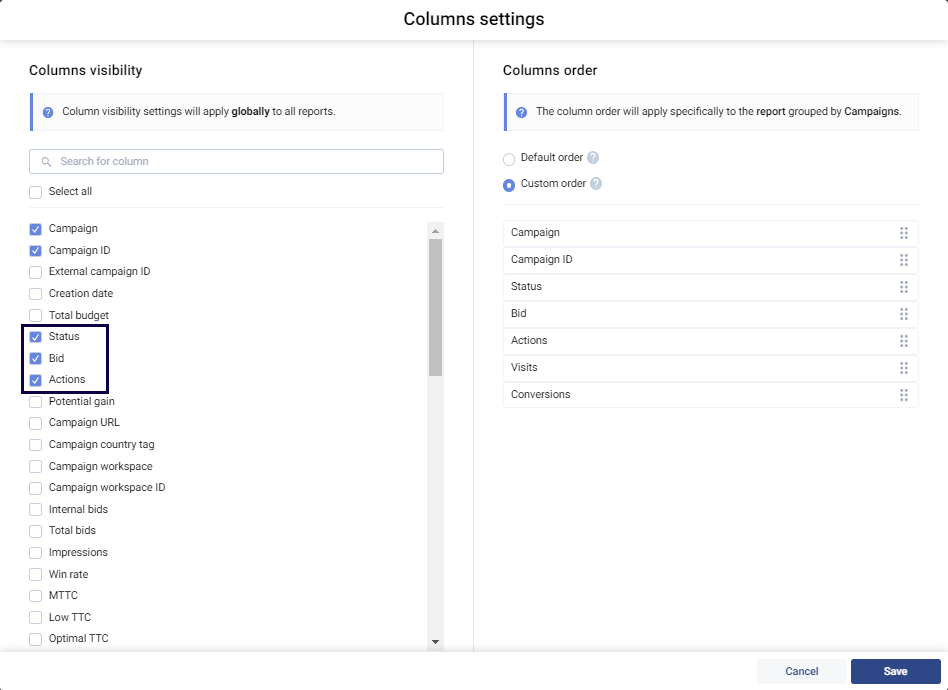
Each change you make in Voluum will have an instantaneous effect in Traffic Nomads. Find out what you can do with integrated campaigns:
Check the status of integrated campaigns:
You can observe the status of your integrated campaign in the Status column.
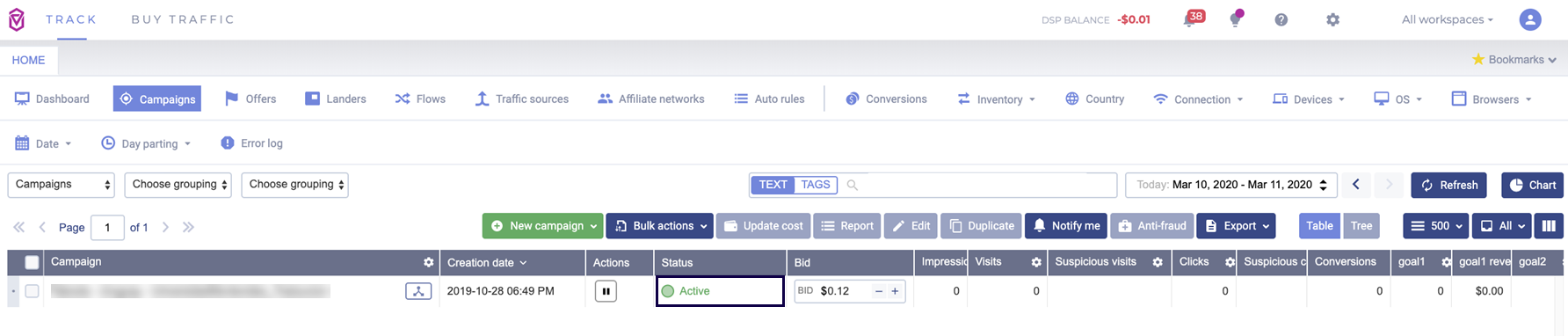
Pause or restore an integrated campaign:
You can pause or restore an entire integrated campaign in the Campaigns view, in the Actions column:
To pause a running campaign, click the
 button.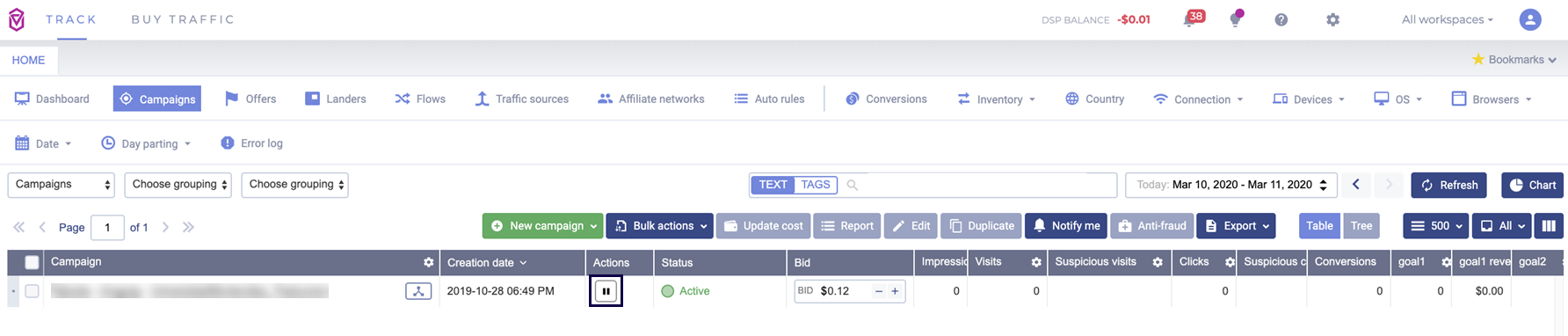
To restore a paused campaign, click the
 button.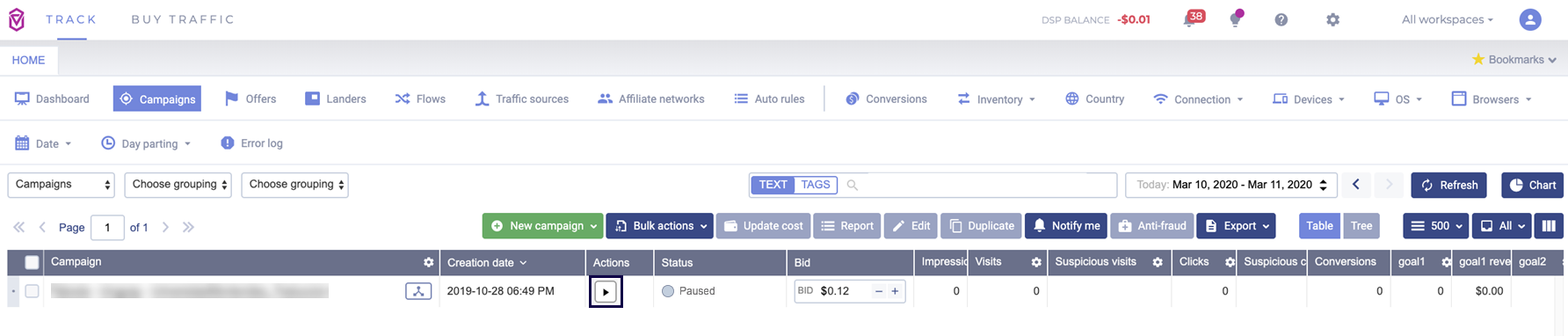
Change bids for an integrated campaign:
You can change bids of the whole campaign in the Campaigns view, in the Bids column. Every bid adjustment is automatically saved.